How to create a Custom KPI List?
Custom KPIs offer valuable insights tailored to your business's unique value drivers and indicators.
KPI stands for Key Performance Indicators - Custom KPIs offer valuable insights tailored to your business's unique value drivers and indicators.
Let's get started and learn how to create and utilize Custom KPIs effectively 🤝
Build Your Custom KPI List
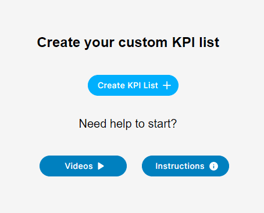
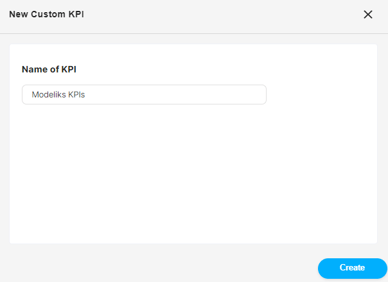
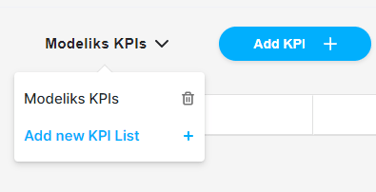
The first step is to click on the "Custom KPI list" option and name the list. In our case, we will name it "Modeliks KPIs". This list allows you to track the specific KPIs that are relevant to your business. Click "Create" to successfully create the list.
Add Indicators
Under the "Add KPI" option, there are two options to add your KPIs:
- Add Custom Indicator: You can create your own custom indicators by using your business' value drivers. Here, you need to create a formula to calculate your custom indicator for your reporting purposes and needs.
- Add Existing Indicator: You can select existing indicators from the list, like gross profit margin, to add to your custom KPI list. You can also search by starting to type.
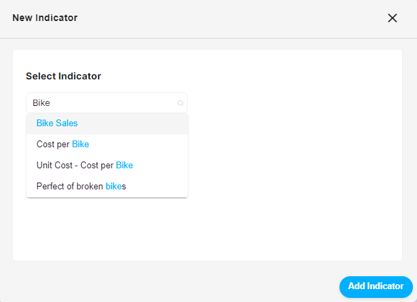
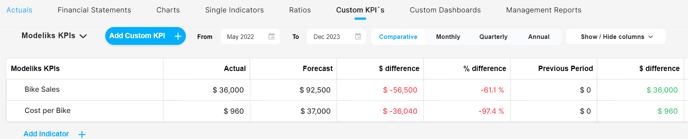
For example, you may want to monitor Bike Sales revenue stream as a key indicator, since it is an existing KPI, you can easily search and select it from the list. By clicking "Add Indicator" you can save it to your list. You can add up to 20 indicators to the list 🌟

To further customize your Custom KPI list, consider adding specific drivers that you use in your financial plan to calculate important metrics. For instance, you can add "Cost per Bike" to monitor the costs of your product. Simply search for the indicator and add it to your list.
Manage Multiple Lists
If you need to track different sets of KPIs, you can create multiple Custom KPI lists. Click on "Add New KPI list" in the dropdown at the top of the table to create a new list. In the same dropdown, you can access all the different Custom KPI lists you have created and select the one you want to view.
Ensure Actual Values
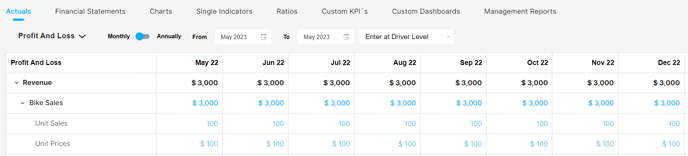
If you don't see any numbers in certain columns, make sure you have entered actual values for those drivers in the Actuals tab, specifically under "Enter at Driver Level". This ensures accurate and up-to-date performance tracking.
One-Page Performance Summary
Another benefit of creating a Custom KPI list is the ability to generate a one-page summary of the most important performance indicators for your business.

Whether you want to track revenue, conversion rates, or other critical metrics, the Custom KPIs feature offers flexibility and customization.
❣️ For a step-by-step visual guide on creating Custom KPIs, check out our informative video tutorial.
Related Articles
How to create Custom Dashboards?
Streamline your financial reporting by creating personalized dashboards for charts that matter most to you. With the Custom Dashboards, you have the power to add only the charts that you want to regularly monitor, creating a customized summary ...What kind of Charts are available?
Discover revenue breakdowns, cost analysis, asset and liability insights, and the popular bridge & waterfall charts. The beauty of these charts lies in their automatic generation, making them incredibly convenient for you. With just a few clicks, you ...How does the Actuals section work in Dashboards?
In Modeliks Dashboards, the section called Actuals allows you to input the financial results of your business. Actual financial results are the real financial results of your business for the previous months and years, as recorded in your accounting ...How to select Single Indicators in Modeliks?
Indicators serve as measurable metrics that offer insights into various aspects of a business's financial performance. In Modeliks, under the Dashboards module, you can easily access the "Single Indicators" section, which contains all the relevant ...